Table of Contents
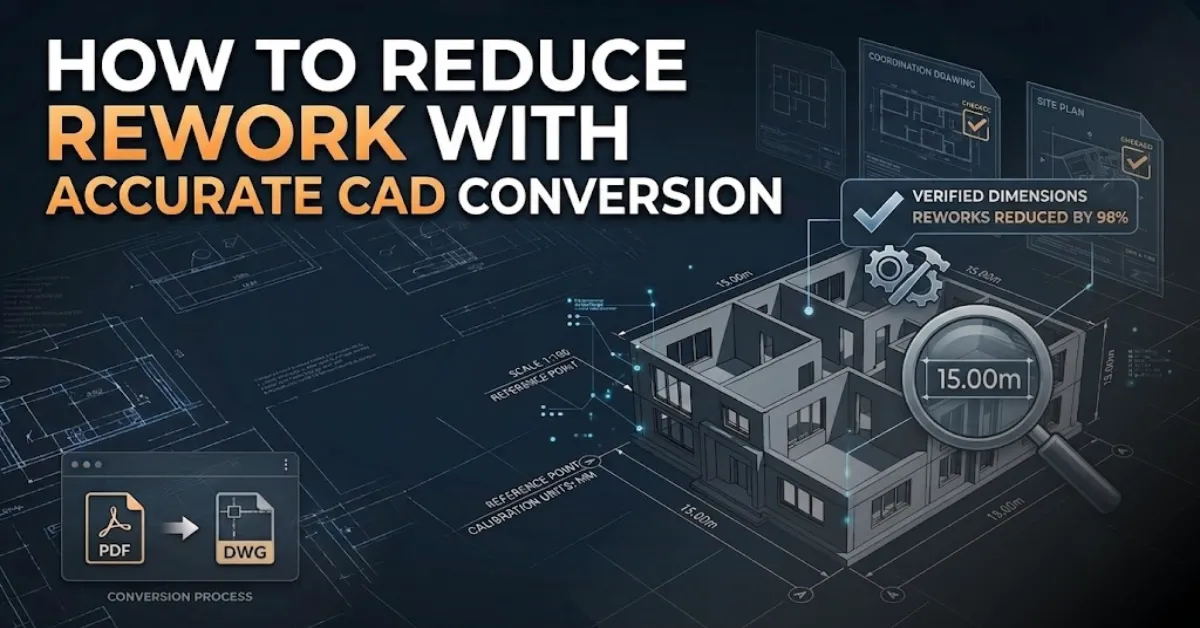
ToggleEvery building and engineering job kicks off with a plan, but hitting your goals relies entirely on how precise that layout stays over time. A single minor drafting slip-up can easily grow into a massive headache down the line, sparking timeline delays, wasted supplies, and constant design revisions. This is exactly why the push to reduce rework in CAD conversion has become a top focus across the design, structural engineering, and manufacturing fields.
Clean digital files make cross-team communication seamless, sharpen project scheduling, and let managers make confident choices from early concepts to final delivery. A dependable file migration changes old paper sketches, blueprint scans, and PDFs into live vector layouts without losing a single critical detail. Boosting your precision this way also tightens teamwork between architects, field builders, and project directors.
Fewer drafting mistakes mean zero nasty surprises on site, lower overhead, and far better build quality. Getting a grip on the workflows that reduce rework in CAD conversion services allows your entire team to push the job forward with real confidence and speed.
Why Accurate CAD Conversion Matters More Than Ever
Big building jobs almost never fall apart over one massive blunder. Instead, they bleed time and money through tiny inaccuracies that get passed down from one layout draft to the next. Things like omitted dimension strings, sloppy notes, messy tracking sheets, and skewed proportions might seem minor on a screen, but they tend to snowball into huge conflicts as the build progresses.
If you want to successfully reduce rework in CAD conversion, your main focus has to be generating digital files that mirror the source sheets perfectly without adding unwanted changes. Maintaining elite CAD conversion accuracy ensures that every trade is building from the exact same layout, cutting out mixed signals between design offices, structural teams, suppliers, and field builders.
Imagine building a puzzle where several pieces are slightly different sizes. Every new piece becomes harder to place. Construction drawings behave in much the same way. Even minor drafting inconsistencies force additional reviews, repeated approvals, and expensive corrections later.
Projects that focus on error-free CAD conversion benefit in several important ways:
- Better communication between project teams
- Faster approval cycles
- Improved drawing accuracy
- Reduced material waste
- Easier document management
- More efficient project execution
Common Reasons Behind Rework in CAD Conversion
Field errors don’t just happen out of nowhere. They almost always start when minor line errors slip past the goalie during the vector migration phase. As the blueprints gain more detail, these tiny slip-ups transform into major space conflicts that force endless design revisions to fix.
Several factors directly influence the ability to reduce rework in CAD conversion.
Poor source documents remain one of the biggest causes. Old blueprints, faded paper drawings, handwritten notes, and low-resolution scans often hide important details. During conversion, missing information may result in inaccurate geometry or incorrect dimensions.
Another common issue involves inconsistent layer management. Without organized layers, electrical layouts, structural components, mechanical systems, and architectural details overlap unnecessarily. Future edits become difficult, increasing the chances of accidental changes.
Scaling errors also create significant problems. Even a slight difference in measurement affects fabrication, installation, and construction activities. Maintaining excellent drawing accuracy from the beginning prevents these issues from spreading throughout the project.
Frequent design revisions introduce another challenge. When revised drawings are not carefully updated across every sheet, conflicting information appears between different disciplines. Coordination becomes slower, increasing project costs.
The following table highlights how common conversion mistakes affect project performance.
Common Issue | Project Impact | Recommended Solution |
Incorrect scaling | Construction delays | Verify dimensions before final delivery |
Poor layer management | Difficult editing | Organize layers consistently |
Missing annotations | Miscommunication | Review all notes carefully |
Duplicate objects | Drawing confusion | Clean CAD files before submission |
Low-quality scans | Missing information | Use high-resolution source files |
By addressing these areas early, project teams can consistently reduce rework in CAD conversion while improving long-term documentation quality.
Building Accuracy Through a Structured CAD Conversion Process
True drawing accuracy is never a stroke of luck. High-quality vector drafting relies on a highly disciplined workflow where every milestone protects the integrity of the data. Cutting corners on even one review step usually ends up forcing the crew to repeat the same work later.
The process begins with reviewing the original drawings. Every dimension, note, symbol, and reference must be carefully examined before drafting starts. A detailed review reduces uncertainty during conversion and strengthens CAD conversion accuracy.
The next stage focuses on drafting using standardized practices. Consistent line weights, text styles, symbols, and layer management make drawings easier to understand and maintain. Standardization also simplifies future editing, helping teams reduce design errors in CAD across multiple project phases.
Independent quality checks remain equally important. A second review frequently identifies small inconsistencies that the original drafter may overlook. Careful verification improves drawing accuracy while reducing unnecessary design revisions before project delivery.
The seventh paragraph naturally supports the importance of following recognized industry guidance. Resources published by the National Institute of Building Sciences provide valuable information on improving digital documentation standards through the National Institute of Building Sciences, helping organizations strengthen quality control and reduce documentation risks.
Rather than viewing file vectorization as just scanning a sheet into a computer, seasoned drafters treat it as a high-standard engineering process. Adopting that mindset delivers incredibly clean vector files, speeds up team approvals, and builds a rock-solid archive for every milestone of the job.
Best Practices to Reduce Rework in CAD Conversion
Every successful CAD project follows a clear process instead of relying on repeated corrections. A disciplined workflow creates dependable drawings and helps reduce rework in CAD conversion without increasing project time. Small improvements during the drafting stage often prevent major issues during construction or manufacturing.
The first priority is maintaining consistent standards throughout every drawing. Your text fonts, dimension lines, block symbols, pen weights, and layer management must align with a single unified office standard. Keeping things consistent elevates your overall CAD conversion accuracy and ensures the files are simple to read for everyone on the job.
Source documents also deserve careful attention before conversion begins. High-res image captures preserve critical markings that can easily vanish on blurry or worn-out paper prints. Starting out with crisp source files sets up the foundation for an error-free CAD conversion, saving you from constant back-and-forth edits later.
Running thorough quality checks should never be left for the last minute. Every completed drawing benefits from multiple review stages where dimensions, annotations, scaling, and object placement are verified. A structured review process helps reduce design errors in CAD while increasing confidence in the final deliverables.
Version control plays another important role. Confusion often begins when several drawing versions circulate between different teams. Maintaining one approved master file keeps everyone working with identical information and minimizes unnecessary design revisions.
File management habits need to stay uniform across the entire lifespan of the build. Using clear file naming rules, maintaining an explicit revision log, and labeling layout sheets properly boosts team alignment while making future design tweaks way faster and more reliable.
Role of Layer Management in Improving Drawing Accuracy
Many CAD files look organized at first glance, but hidden layer problems often become expensive during editing or construction. Proper layer management creates a clean structure where every drawing element has its correct place. This simple practice supports better coordination between architects, engineers, fabricators, and contractors.
Imagine opening a drawing where electrical layouts, plumbing systems, furniture, dimensions, and structural elements all exist on one layer. Editing a single object suddenly becomes slow and risky. Organized layers eliminate this confusion by separating every discipline into logical categories.
Good layer management also supports drawing accuracy because objects remain easier to locate, edit, and verify during future project stages. When revisions become necessary, only the affected layers require modification instead of editing the complete drawing.
Another advantage appears during collaboration. Modern construction projects involve multiple specialists working on the same documentation. Organized layers reduce conflicts between disciplines and help reduce rework in CAD conversion by preventing accidental modifications.
Projects that follow consistent layer naming standards also experience smoother software compatibility between different CAD platforms. Better organization creates better communication, and better communication naturally produces more reliable project documentation.
Layer Management Practice | Benefit |
Standard layer naming | Faster navigation |
Color-coded disciplines | Easier visual checking |
Locked reference layers | Prevents accidental edits |
Hidden construction layers | Cleaner final drawings |
Organized annotation layers | Improved readability |
Why Professional CAD Conversion Services Deliver Better Results
Advanced software certainly improves drafting speed, but software alone cannot guarantee quality. Skilled professionals remain the biggest factor behind reliable project documentation. Experience helps identify hidden inconsistencies before they become expensive construction problems.
Professional CAD conversion services combine technical knowledge with strict quality control procedures. Every drawing passes through verification stages where dimensions, geometry, annotations, symbols, and scaling receive careful attention. This detailed approach strengthens CAD conversion accuracy while reducing avoidable project delays.
Experienced drafting specialists also understand industry standards used across architecture, engineering, manufacturing, and infrastructure projects. Standardized documentation makes collaboration easier for every project participant and significantly helps reduce rework in CAD conversion.
Another important advantage involves handling complex revisions. Large projects often receive multiple updates throughout planning and construction. Skilled CAD professionals maintain revision history carefully, ensuring every modification appears consistently across all related drawings. This organized workflow minimizes conflicting information while reducing unnecessary design revisions.
Professional services also improve project scalability. Whether converting a single floor plan or thousands of engineering sheets, established workflows maintain the same level of precision. Consistency across large drawing sets protects overall project quality while supporting long-term document management.
Instead of viewing CAD conversion as simple drafting work, successful organizations treat it as an investment in project accuracy. Cleaner drawings today often eliminate costly corrections tomorrow.
Technology Is Improving CAD Conversion, but Quality Still Depends on Process
Modern design programs have completely changed the way we handle digital drafting. Automated script loops, smart line matching, cloud networks, and AI tools now handle repetitive drafting tasks in a fraction of the time. While these tech upgrades definitely supercharge office productivity, they still can’t replace an expert human eye.
Auto-tracing software can easily detect general shapes and turn flat pictures into vector paths, but algorithms frequently misread faint pencil lines, handwritten text notes, stacked objects, or blurry dimension values. Taking the time for a thorough manual check is still non-negotiable if you want to deliver a truly error-free CAD conversion.
Advanced tech delivers the best results when you pair it with a rigorous quality review routine. Automated tracing tools give you great production speed, while seasoned drafting eyes make sure every vector matches the source print perfectly. Finding this balance elevates your baseline drawing accuracy, keeps communication tight, and works to reduce design errors in CAD on complex commercial jobs.
Shared cloud workspaces also take the friction out of team coordination by letting different specialties mark up layout sheets at the exact same time. Getting instant feedback cuts down on long approval loops and closes up communication gaps that usually trigger repetitive modifications.
The tech driving vector migration is bound to get a lot smarter down the road, but building trustworthy field records will always come down to clean file setups, skilled technicians, tight checks, and rigid quality metrics. Jobs that blend modern software with disciplined office workflows always get better results and constantly help to reduce rework in CAD conversion at every step.
Conclusion
Every win in the field rests on having precise blueprints that enable clear talk, faster sign-offs, and smart layout choices. A carefully designed vector pipeline spots and kills drafting mistakes long before they blow up into expensive installation or factory floor blunders. From keeping up with disciplined layer management to executing deep document audits, every tiny detail builds better drawing accuracy and easier cross-trade teamwork.
Businesses that put their energy into workflows that reduce rework in CAD conversion enjoy major long-term perks—like slashed operational costs, zero timeline stalls, better team alignment, and seamless document archiving. Keeping your CAD conversion accuracy high, while sticking to strict error-free CAD conversion habits, gives you solid plans that hold their value through the building’s full lifecycle. Rather than wasting billable hours fixing dumb drafting slip-ups, your team can focus on creative design, fast production, and top-tier builds.
Putting your budget into refined internal processes and professional CAD conversion services is about way more than just swapping out a file type. It is an investment in building bulletproof field documents that drive down liability, handle later design revisions effortlessly, and actively work to reduce design errors in CAD right from day one. Spending time planning things out today saves you from frantic re-drafting loops tomorrow, keeping every job profitable, sharp, and lean.
Also read: How to Maintain Scale Accuracy During CAD Conversion
Frequently Asked Questions
Why is it important to reduce rework in CAD conversion?
Finding ways to reduce rework in CAD conversion is a proven path to stamping out unexpected project delays, lowering overall building budgets, and keeping your design and field teams perfectly aligned. Having precise vector records stops costly blunders during factory fabrication, spatial planning, and field setups, maximizing your overall operational speed.
How does CAD conversion accuracy improve project quality?
Strong CAD conversion accuracy ensures every drawing matches the original document while maintaining correct dimensions, annotations, symbols, and scaling. Accurate files reduce confusion, simplify project coordination, and support better decision-making throughout the project lifecycle.
What causes errors during CAD conversion?
Low-quality source files, incorrect scaling, inconsistent layer management, missing annotations, and poor quality control are common reasons for conversion errors. Following standardized drafting procedures significantly improves error-free CAD conversion and reduces future corrections.
How does layer management help reduce design errors in CAD?
Proper layer management organizes drawing elements into structured categories, making editing and reviewing much easier. Well-managed layers improve drawing accuracy, prevent accidental changes, and help reduce design errors in CAD during future project updates.
Why are professional CAD conversion services recommended?
Professional CAD conversion services use experienced drafting specialists, standardized workflows, and multiple quality checks to produce reliable digital drawings. This improves accuracy, minimizes project risks, reduces design revisions, and supports better collaboration across all project stages.
Can accurate CAD conversion minimize rework in construction drawings?
Yes. Accurate conversion creates dependable construction documentation that reduces inconsistencies between architectural, structural, and MEP drawings. This helps minimize rework in construction drawings, improves communication, and prevents expensive on-site modifications.
What should be checked before approving converted CAD drawings?
Every converted drawing should be reviewed for dimensions, scaling, annotations, symbols, line weights, object placement, and revision history. Careful quality verification ensures error-free CAD conversion, improves drawing accuracy, and helps reduce rework in CAD conversion before project delivery.